
This guide gets you from a running host to answering an agent request on your phone. The details are in phone and browser access.
You need a host with a running Vibeke session. See the quickstart.
1. Pair your phone
Choose one way.
In the terminal interface, run Pair a phone from the command palette (prefix then :). Choose the access level and press Enter. A QR code appears.
You can also press prefix then alt+d to open Connections. Switch to the Devices tab with tab, then press n to start pairing.
Or run this in a shell on the host:
vibeke gateway pair
The first time, the command needs a relay and may ask you to sign in. For the hosted relay with an account:
vibeke gateway pair \
  --relay https://cloud.vibeke.dev \
  --app-url https://app.vibeke.dev
2. Open the app
Scan the QR code with your phone, or open the printed link. The link opens app.vibeke.dev.
Compare the device fingerprint on the phone with the one in the terminal. Confirm on both sides. Each invitation works once and expires.
3. Install it to your home screen
On iOS or iPadOS, open the app in Safari. Choose Share, then Add to Home Screen. Open the installed app, then pair it. Push notifications on iOS need version 16.4 or later.
4. Turn on notifications
In the app, go to Settings, then Alerts, then Turn on. Allow notifications. Choose When an agent needs you to get a message when a request waits. Set this on each device.
5. Answer a request
When an agent asks for permission or asks a question, the app shows it and sends a notification. Open it, read the request, choose or type your answer and send it.
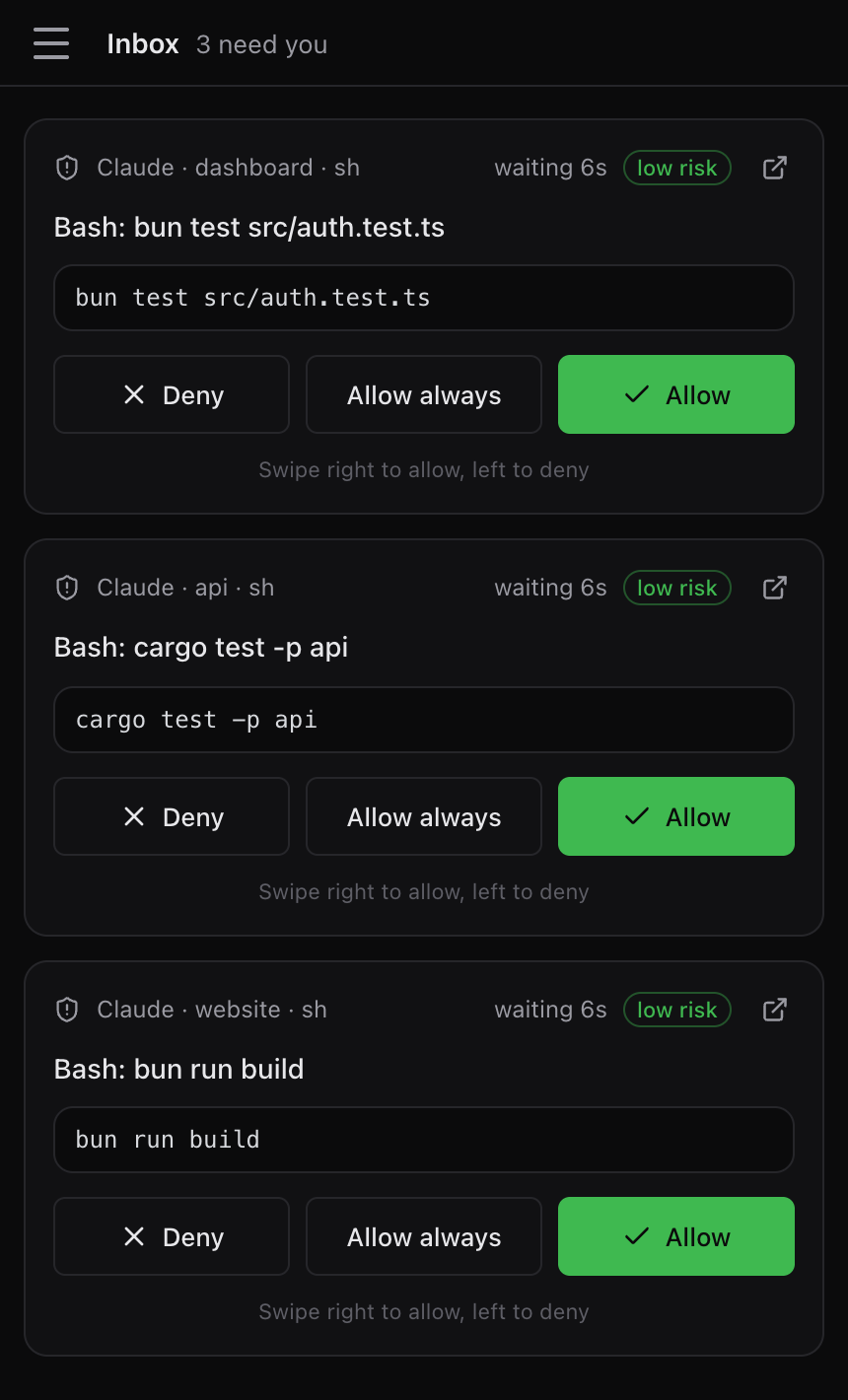
The host must stay awake and online. Closing the terminal does not stop your agents.
Limits
- Pair with
--scope approveor--scope viewfor limited access. A view-only device cannot start agents. - Run
vibeke gateway statusif the phone cannot connect. - Revoke a phone in Connections or with
vibeke gateway revoke <id>.
Next steps
- Phone and browser access: accounts, devices, offline use, previews and sharing into an agent.
- Your first task: start work that you can answer from anywhere.
- Security: how access to your host is limited.